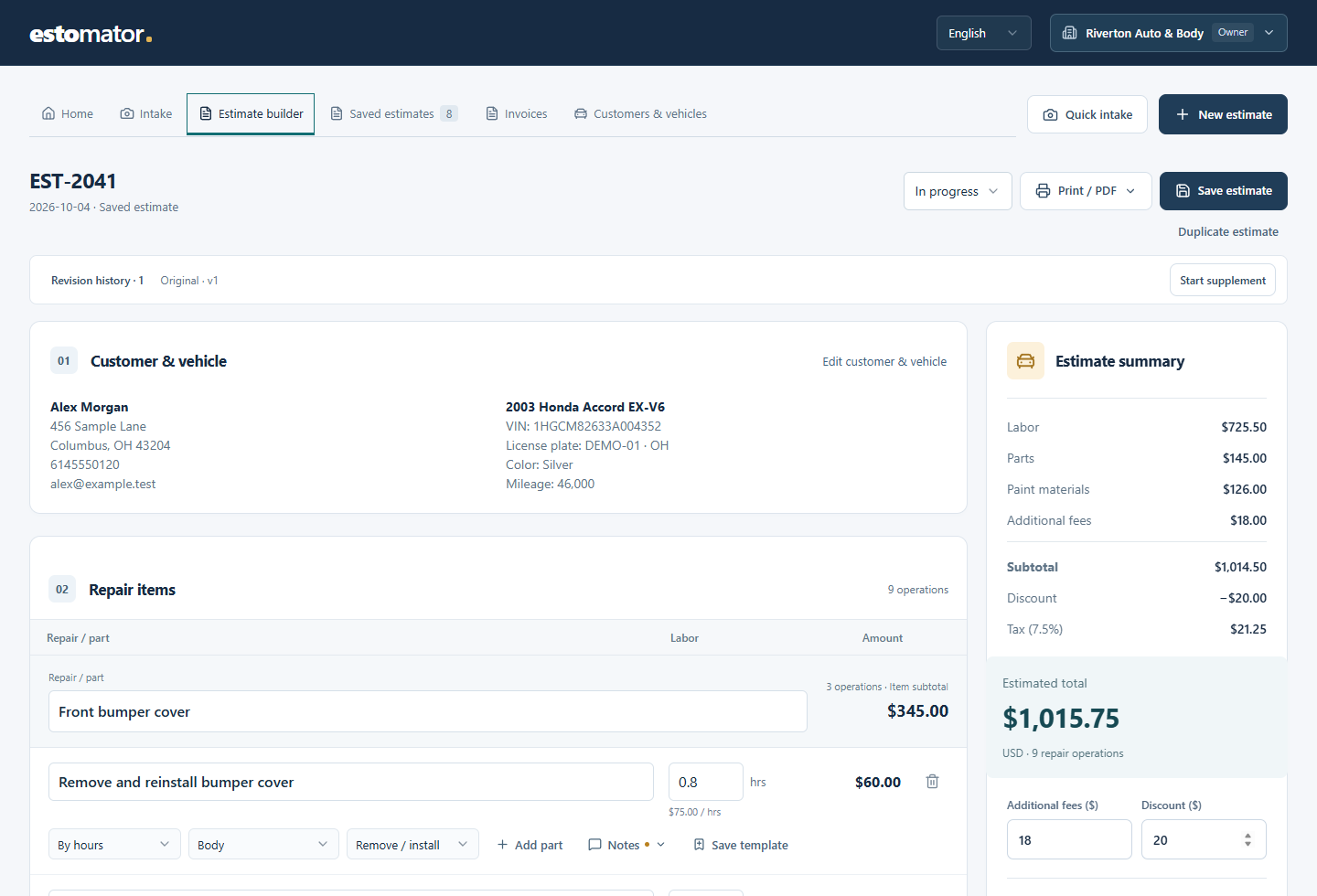
Explain the repair, item by item.
Group removal, repair and refinishing under the part being repaired. Add new or used parts, paint materials and notes. Keep insurer, claim and adjuster details with the estimate.
View a body repair quote ↗Software for independent repair shops
Estomator helps body shops and mechanical shops turn photos, repair notes and prices into a quote customers can understand. Get approval, keep track of changes, and carry the work through to an invoice—all in the same job record.
Works in your browser. Start on a phone, finish at your desk.
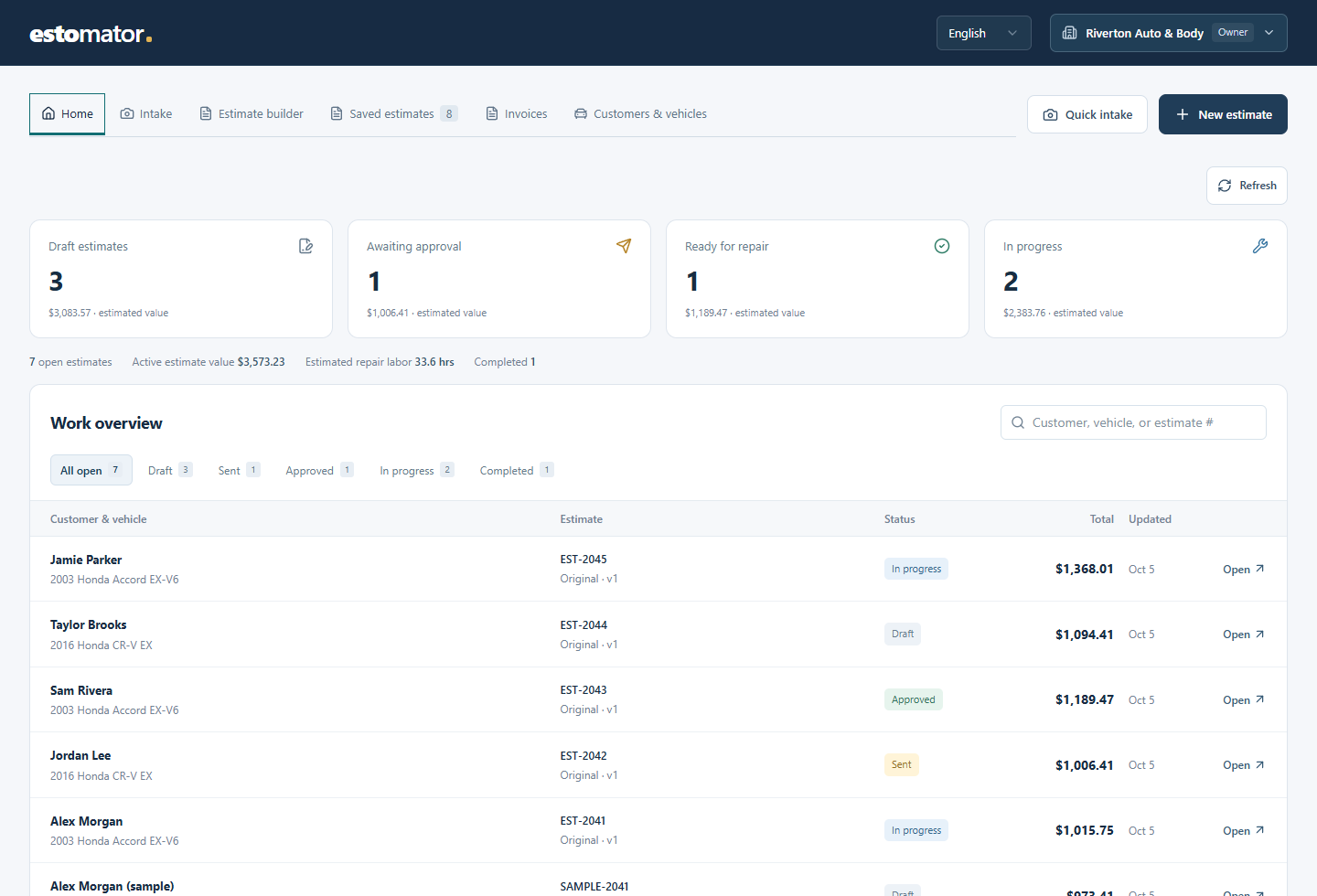
See which estimates need approval, which repairs are underway and what is still unpaid. Open the customer’s record without hunting through messages or starting the paperwork again.
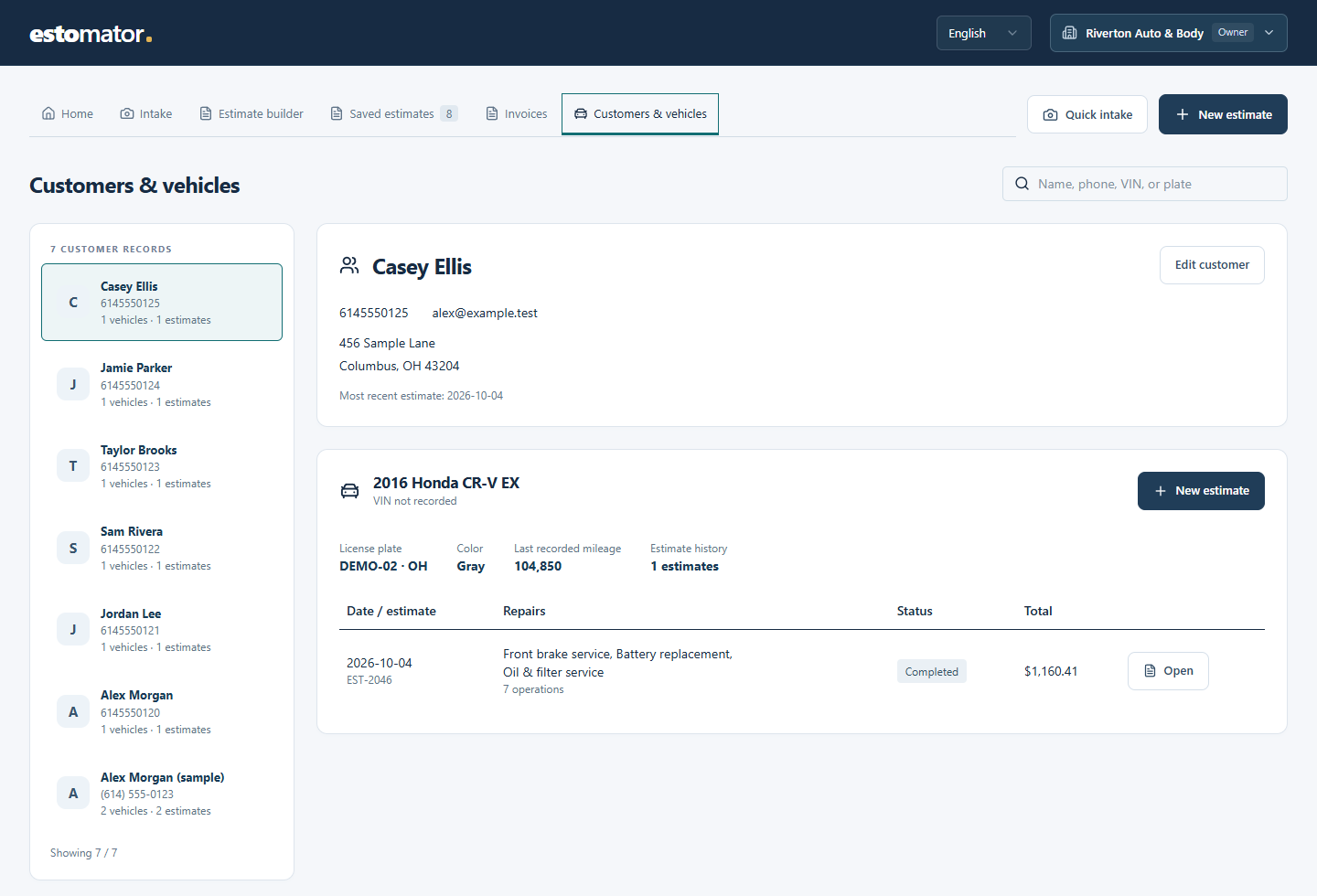
A bumper repair and a brake job need different details. Choose the estimating workflow that fits, while keeping customer records and paperwork together.
Group removal, repair and refinishing under the part being repaired. Add new or used parts, paint materials and notes. Keep insurer, claim and adjuster details with the estimate.
View a body repair quote ↗Start with the customer’s symptoms. Record technician findings, inspections, parts and labor. Reuse common repair templates and keep service reminders with the customer’s vehicle.
View a mechanical quote ↗Track parts being ordered and received, repair progress and the invoice balance. Give staff their own sign-ins while owners manage shop settings and enabled features.
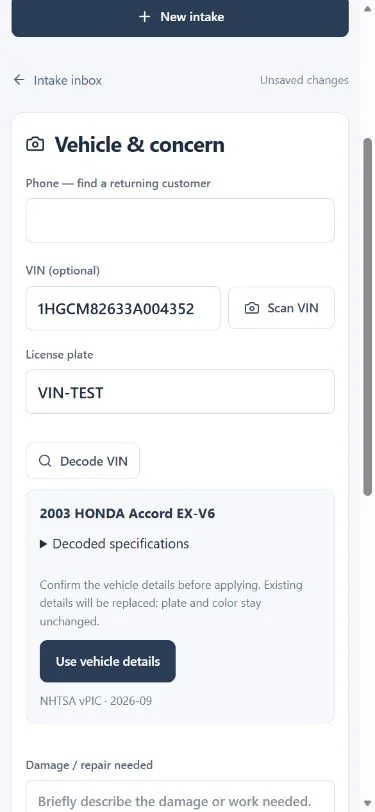
Find the right setup ↓Enter the 17-character VIN, or scan a readable barcode with a supported phone camera. Check the year, make, model and available engine details, then apply the vehicle information to the job.
Review the decoded details before adding them. Your plate, color and paint code stay in place, and you can fill in anything the lookup does not return.
Vehicle details from NHTSA. Review before applying.
Check potential safety recalls by year, make and model, with links to NHTSA for verification.
Recall results do not confirm whether an individual vehicle has an open recall. VIN lookup is an optional plan feature.
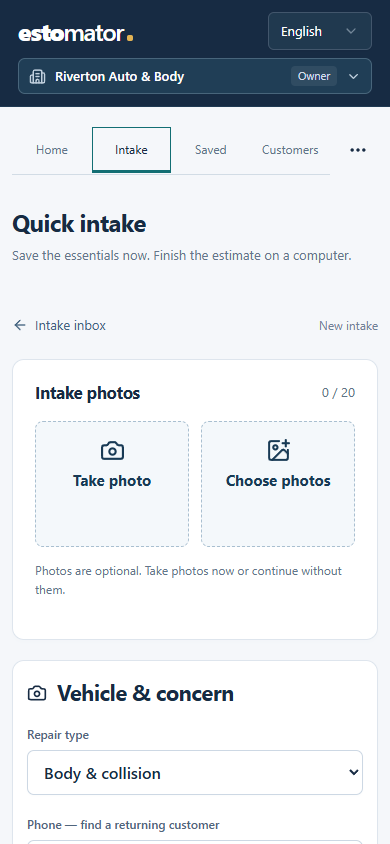
Open Intake, take a few photos and add a VIN, plate or repair note. Save what you have. Back at your desk, complete the customer details and build the estimate from that same intake.
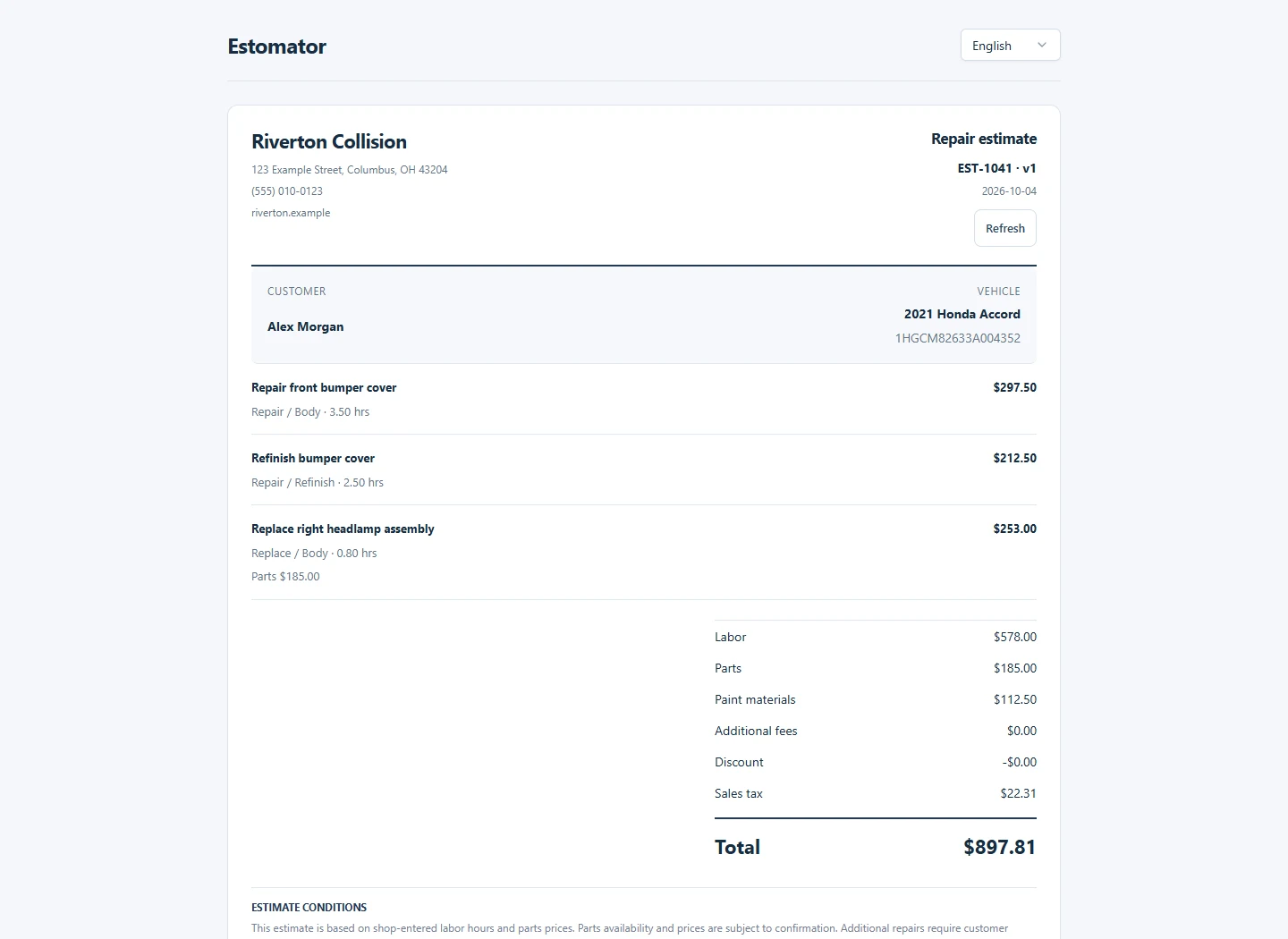
Your logo and shop details at the top. Each repair item lists the work it needs: removal, repair, paint or service. Hours, parts, notes and an item subtotal sit underneath. If it runs to another page, the header and page numbers carry through.
Export in English or Spanish, and choose whether to include the photos on separate pages.
Open the body repair PDF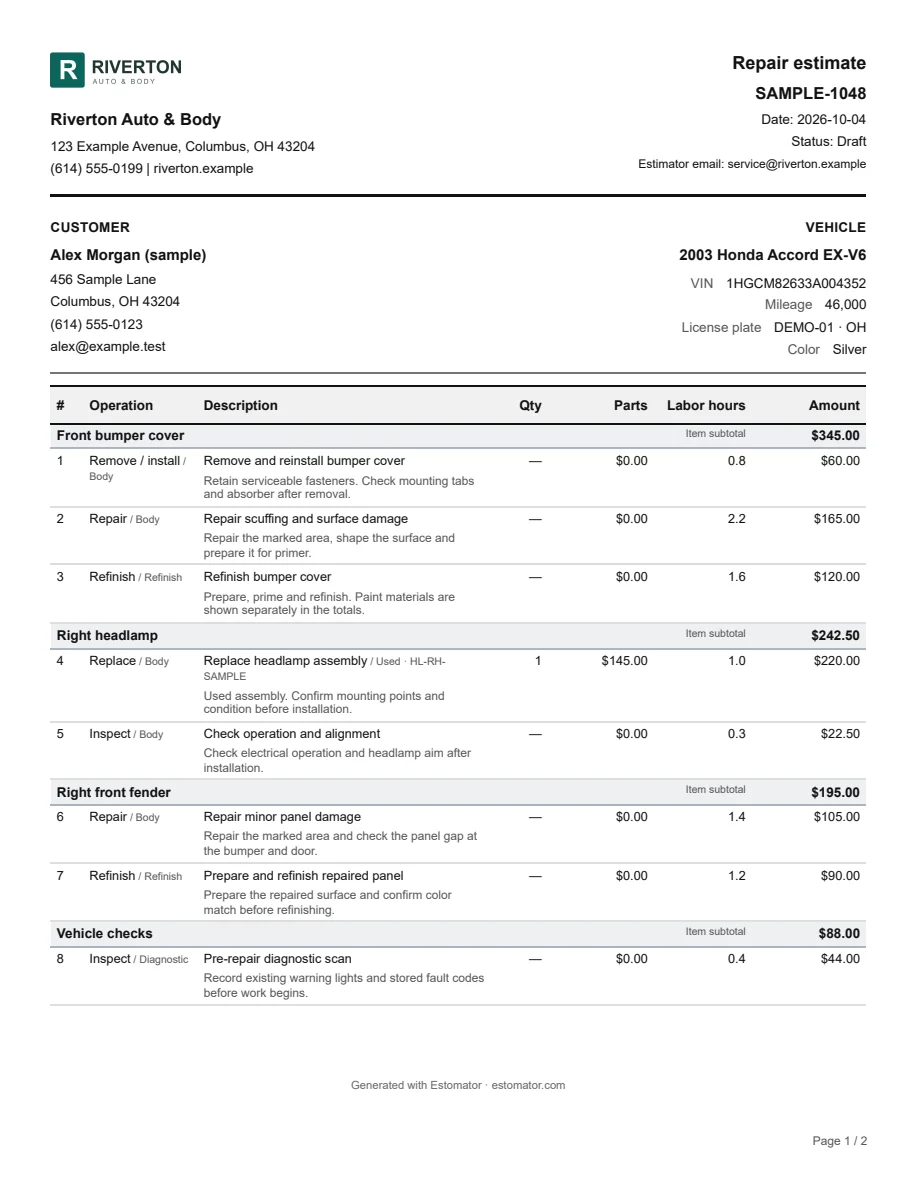
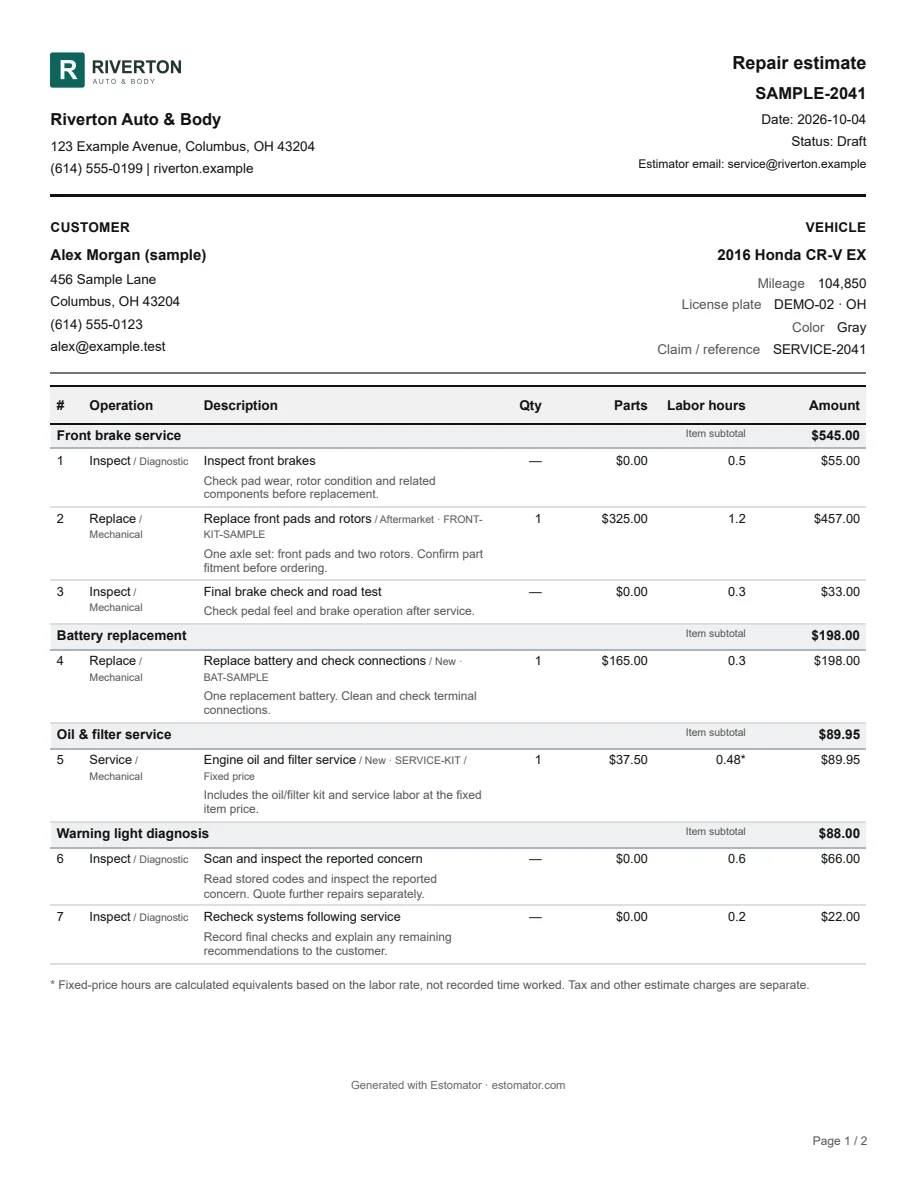
Choose body and collision, mechanical and service, or both. Collision estimates can include related mechanical operations. A shop that also writes standalone mechanical estimates can enable both workflows.
Start with the tools you will actually use. Add inspections, approvals, purchasing, reminders or invoices through your plan. The shop owner can switch included options on or off to keep the workspace focused.
Feature availability depends on your shop’s plan. Saved records are retained when a feature is turned off.
Need something else answered?
Ask us directly.
From your shop. Enter your own rates, hours and parts prices, including used parts. You can save common repairs as templates. Estomator doesn’t include a licensed parts or labor-time database.
Yes. Plans can include body and collision estimating, mechanical and service estimating, or both. Your shop’s workflow stays within that access, so a mechanical-only shop doesn’t need paint or body repair fields. Optional features such as photos and invoices are configured separately.
Enter a fixed price for the repair, including any parts on that line. Estomator uses your labor rate to show equivalent hours for the labor portion. Tax and other estimate charges are separate.
Yes, when customer requests are enabled. Share an invitation or put your shop’s request link on its website. The customer adds their contact details, a description and photos. Your staff review it before preparing a quote.
Vehicle lookups run against the NHTSA vPIC database installed on our server. The VIN stays on the server; weekly checks download new database releases. Coverage is strongest for vehicles intended for the US market from model year 1981 onward. Some vehicles return partial details, so you always review the result and can enter details manually.
Yes. Intake is designed for a smaller screen, and you can continue the saved job at your desk. VIN barcode scanning depends on the phone, camera permissions and the condition of the label. You can also type the VIN.
With customer approvals enabled, you send a private link that expires. The customer enters the last four digits of the phone number on file, then reviews and approves or declines the quote version you sent. When selected-repair approvals are enabled, the customer can choose work for the shop to review and requote.
Yes. Send the documents for the stage of the job: intake, estimate, inspection, repair order, invoice or receipt. Choose the relevant attachments and photos before sending. Customer replies can go to the estimator or shop address.
Yes, with those options enabled. Record insurance and adjuster details, and track parts, suppliers and purchasing status alongside the repair. You enter your own prices; Estomator does not submit claims to insurers or place supplier orders for you.
No. Your plan determines which features are available, and the shop owner chooses which of those to enable. You can keep the workspace focused on quoting or include more of the repair process. Ask us about the setup and pricing for your shop.
Request a demo and tell us a little about your shop. We’ll discuss the features and setup you need. If your shop already has an account, use Shop sign in at the top of this page.
Bring a typical repair and the way you price it. We’ll walk through the estimate, the paperwork and the features your shop would use.